GUEST MESSAGING
Message your guests. Every reply lands in one place.
Send RSVP reminders and updates by text or email. When a guest writes back, it lands on their thread, not in your personal inbox.
Free during early access. Guests never download an app to reply.
- Channels
- Text and email today, WhatsApp on the way
- Replies
- One thread for every guest
- Templates
- 18 starters, save-the-date to thank-you
WHY GROUP CHATS AND BLASTS FALL SHORT
A South Asian wedding is a conversation, not a broadcast.
The family group chat buries the answer
The mehndi group chat, the cousins' sangeet thread, the quote your dad forwards at midnight. Most South Asian families already run the wedding on WhatsApp, and that's exactly where the one answer you needed gets lost. A group chat puts every guest in one room. Anvaya gives each guest a private thread with you instead.
A broadcast wastes the reply
Guests write back. They ask whether kids are invited, whether the mehndi is dry or wet, whether the dress code is jewel tones or pastels. Broadcast tools treat the send as the finish line, so the reply lands somewhere you'll never look. The reply is the part that matters.
Three apps, zero shared context
Aunty texts about the mehndi timing. A cousin emails his reception RSVP. Same wedding, two apps, and the day before the ceremony nobody can find the note she sent last month. When messages scatter across personal phones, half the conversation never reaches your plan.
Text the family, email everyone else.
Your masi in New Jersey reads texts before anything else. Your college friends live in their inbox. So Anvaya sends both: texts to guests with US and Canadian numbers, and email to anyone, anywhere. The first text each guest gets is signed with your names and tells them how to opt out, so nobody wonders who’s writing.
Relatives in London, Delhi, or Dubai get your news by email, and before you send, Anvaya flags anyone whose number is outside the US and Canada so you can reach them that way. A guest who replies STOP is never texted again unless they text START. WhatsApp is on the way.
- Texts to guests in the US and Canada, signed with your names
- Email to everyone, in any country
- Guests with numbers abroad are flagged so you can email them instead
- A guest who replies STOP is never texted again
- WhatsApp is on the way
Every reply lands on the guest, not in a separate inbox.
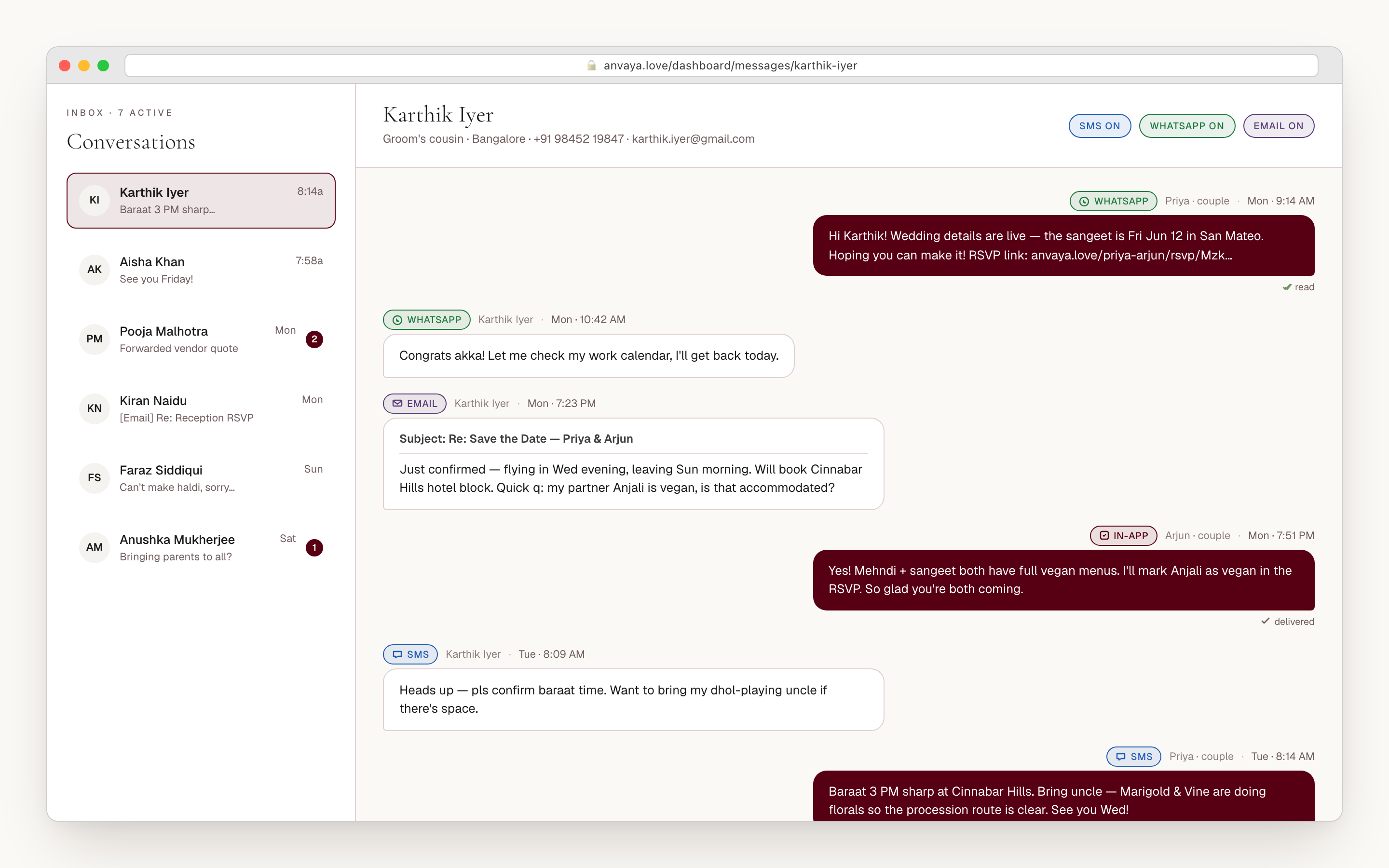
Guests reply, and Anvaya treats the reply as part of the plan. Every text and every email a guest sends back lands in their thread on your dashboard, marked with how it came in, with a line where the conversation moved from email to text.
When Aunty answers your mehndi reminder at 11:47 at night, you see it the next morning right under the reminder you sent her. When a coworker emails his regrets for the reception, it lands in the same place. Your parents can join as co-planners and read or reply on the same thread, so everyone sees what’s already been said.
- Text and email replies in one thread per guest
- Each message marked with how it came in
- A line marks where the conversation moved from email to text
- Your parents and co-planners can read and reply too
- Guests never need an app, an account, or a password
Eighteen starter templates, from save-the-date to thank-you.
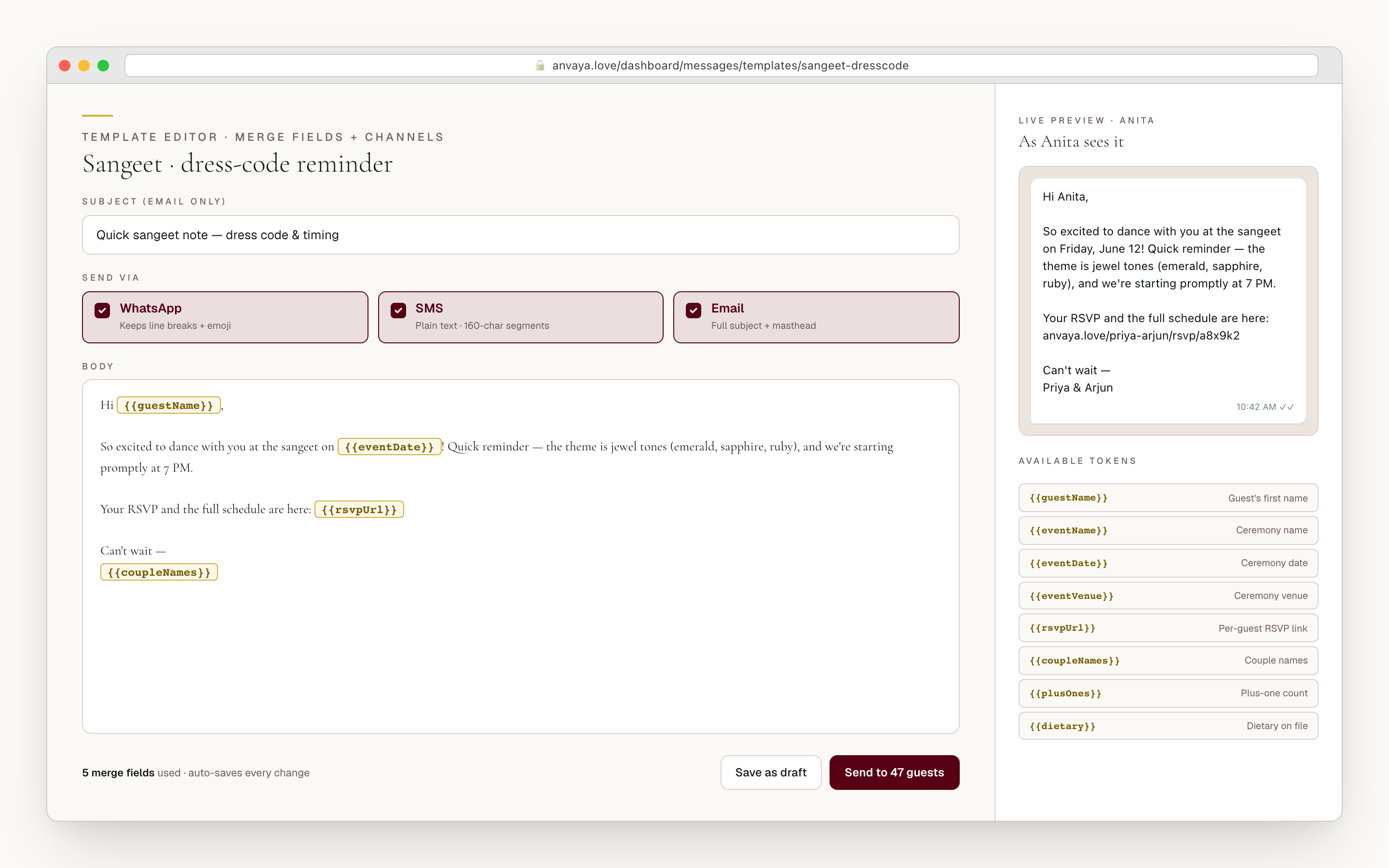
A multi-event wedding needs a dozen kinds of message: the save-the-date, RSVP nudges, mehndi details, the sangeet line-up, the haldi note, where the baraat meets, the hotel block, the dress code, the thank-you. Anvaya starts you with a draft for each, including ones written for the mehndi, sangeet, haldi, and baraat. Copy one, make it sound like you, and send.
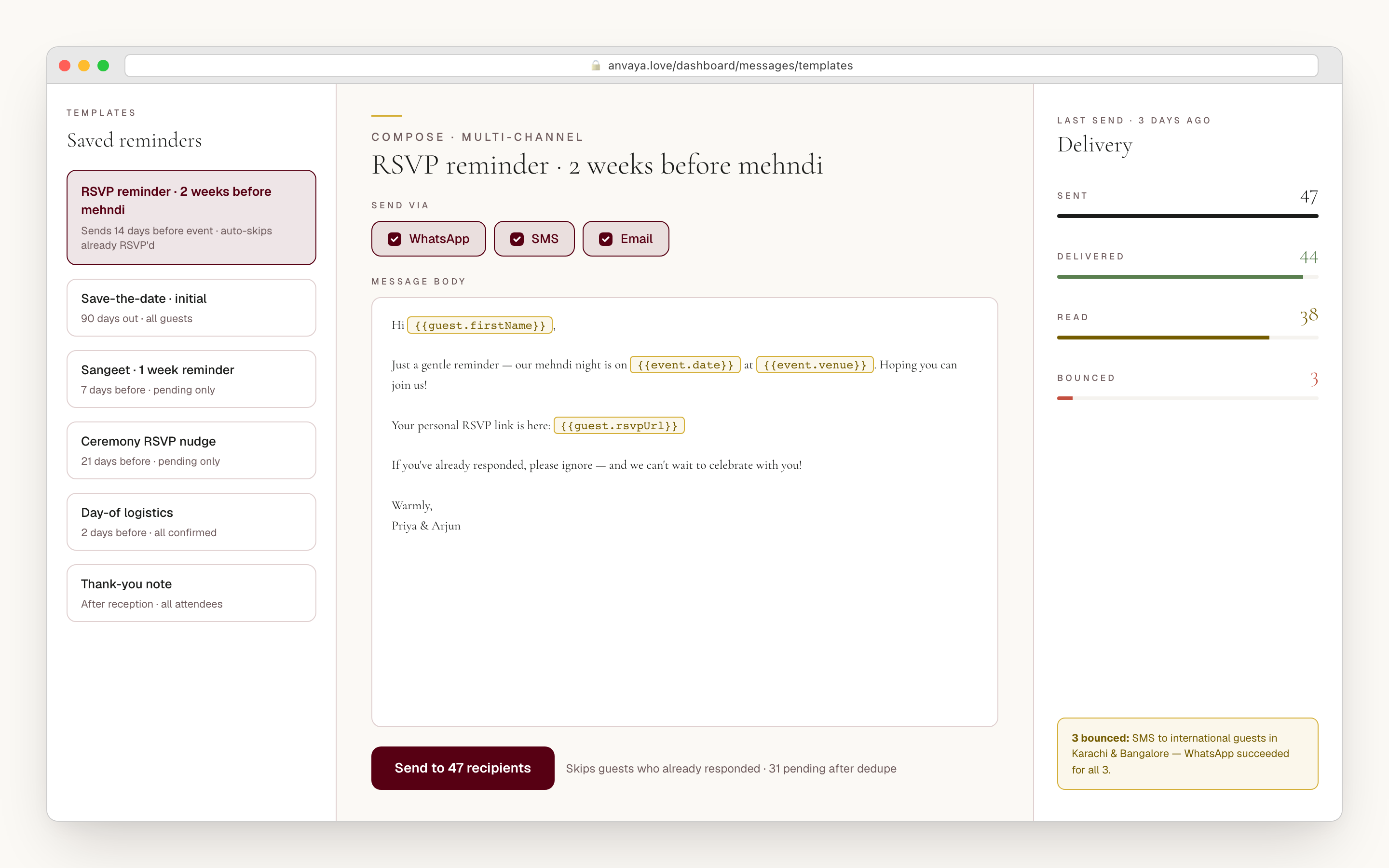
Each guest’s first name, your names, and their own RSVP link fill in as the message goes out. The RSVP nudges are written for three touches: a month out, a week out, and a final call two days before. Want a fresh draft? Ask for a suggestion written for that ceremony and stage of the wedding, and edit it before anything sends.
- Drafts for save-the-dates, RSVP nudges, ceremony details, travel, thank-yous
- Ceremony drafts for the mehndi, sangeet, haldi, and baraat
- Each guest's name and personal RSVP link filled in for you
- RSVP nudges written for a month out, a week out, and two days before
- A suggested draft for the ceremony and stage, ready to edit
Send only to the guests who still owe you an RSVP.
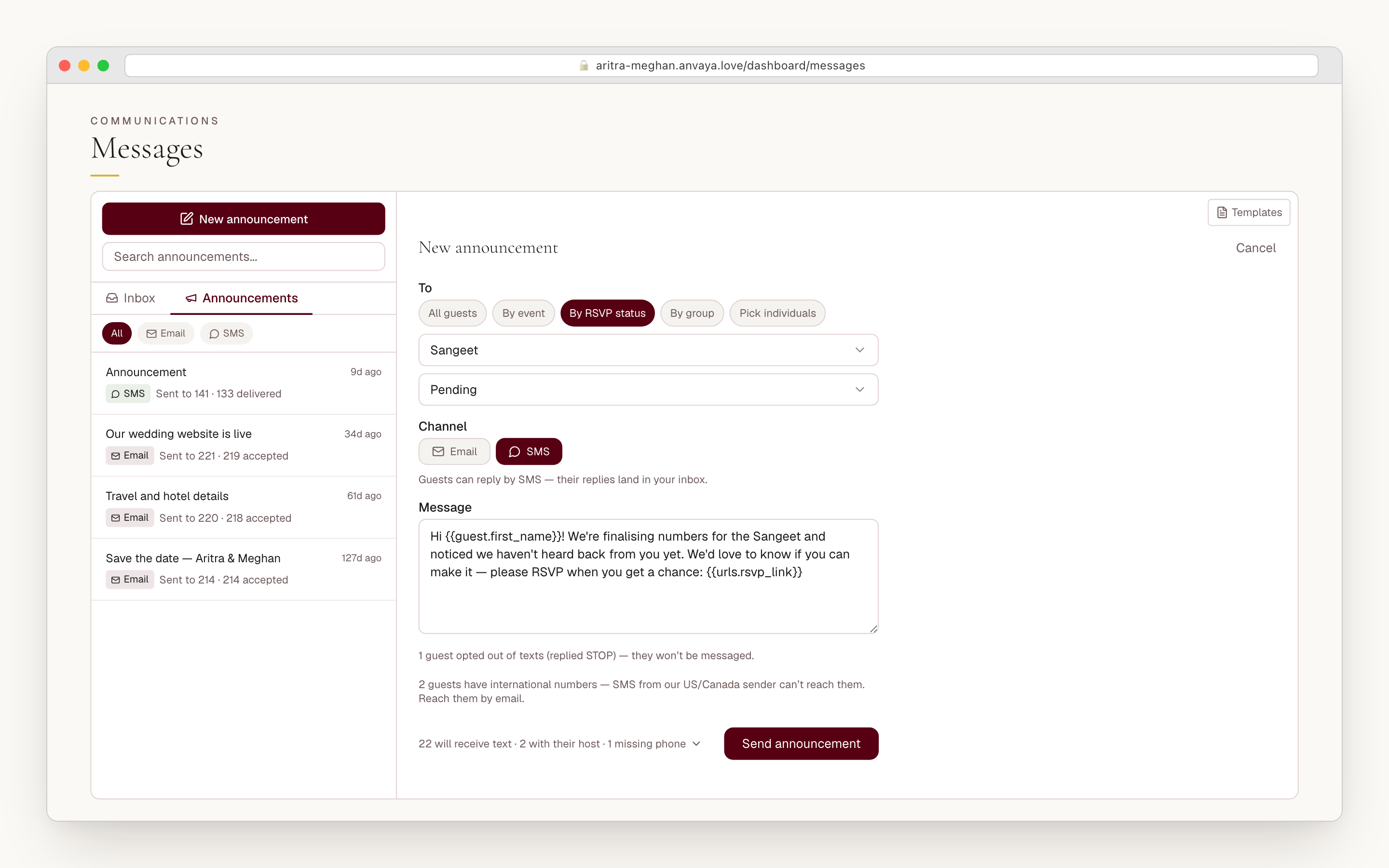
Choose who a message is for the way you think about the wedding: everyone, one ceremony’s guests, the people who haven’t answered for the haldi, a household group, or names you pick. Before anything goes out you see exactly who gets it and who doesn’t: duplicates, missing numbers, guests who opted out of texts, and plus-ones whose host is already getting it.
After it sends, every message shows whether it was delivered. A text that fails comes with a plain reason, like a landline that can’t receive texts, so you can fix the number before the RSVP deadline instead of messaging a dead line for six weeks. Email shows whether it was delivered, or why it bounced.
- Send to everyone, one ceremony, the holdouts for an event, a group, or names you pick
- See who gets it, and who is skipped and why, before you send
- Every message marked sent, delivered, or failed
- Failed texts explained in plain words
- Never re-text the guests who already said yes
COMPARED
Where Anvaya lands against the usual wedding-text tools.
Most wedding-text tools send one-way texts and stop there. Anvaya is built for two-way, multi-event messaging by text and email. Here is where each tool sits today.
| Feature | Anvaya | Text My Wedding | Zola | WedTexts | Replied |
|---|---|---|---|---|---|
Two-way messaging (not just broadcast) Guests reply, and the replies land in your dashboard under the guest. | |||||
Email replies in the same thread A guest's email reply lands in the same thread as their texts. | |||||
One thread per guest Texts and emails with one guest in a single conversation, in order. | |||||
Send by ceremony and RSVP status Message only the guests who haven't answered for one event, not the whole list. | Basic | Basic | Basic | ||
Delivery status per message Sent, delivered, or failed, with the reason when a message fails. | Delivery only | Delivery only | |||
Ceremony-specific templates Starter drafts for the mehndi, sangeet, haldi, and baraat. | Generic | Generic | Generic | Generic |
Two-way messaging (not just broadcast)
Guests reply, and the replies land in your dashboard under the guest.
Anvaya
Text My Wedding
Zola
WedTexts
Replied
Email replies in the same thread
A guest's email reply lands in the same thread as their texts.
Anvaya
Text My Wedding
Zola
WedTexts
Replied
One thread per guest
Texts and emails with one guest in a single conversation, in order.
Anvaya
Text My Wedding
Zola
WedTexts
Replied
Send by ceremony and RSVP status
Message only the guests who haven't answered for one event, not the whole list.
Anvaya
Text My Wedding
Zola
WedTexts
Replied
Delivery status per message
Sent, delivered, or failed, with the reason when a message fails.
Anvaya
Text My Wedding
Zola
WedTexts
Replied
Ceremony-specific templates
Starter drafts for the mehndi, sangeet, haldi, and baraat.
Anvaya
Text My Wedding
Zola
WedTexts
Replied
As of June 2026, from public product pages. Competitor features change — verify on each tool.
FAQ
Questions we hear a lot
RSVP & Guests
Free, per-event online RSVP with text and email reminders.
Plan the RSVPMulti-Event
Per-event guest lists, RSVP, seating, and vendors across every ceremony in your wedding.
Plan every eventSave the Date
Announce the whole wedding weekend in one digital Save the Date with email sending, private links, and soft RSVP.
Send Save-the-DateEarly access
One thread.
Every reply.
Texts and email today, with every reply in one place. Made for multi-event South Asian weddings, and free during early access.